dashboard
options structure & order flow
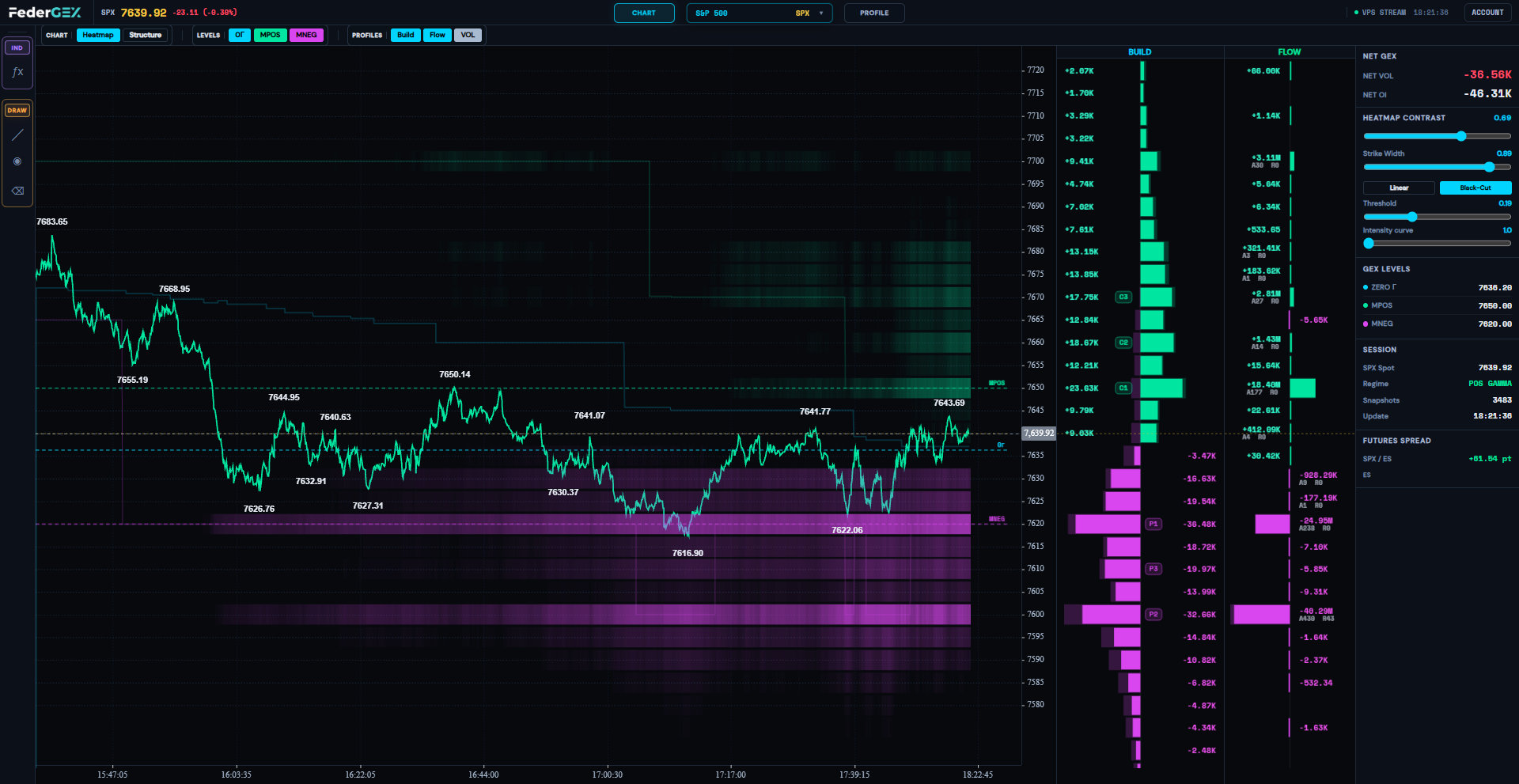
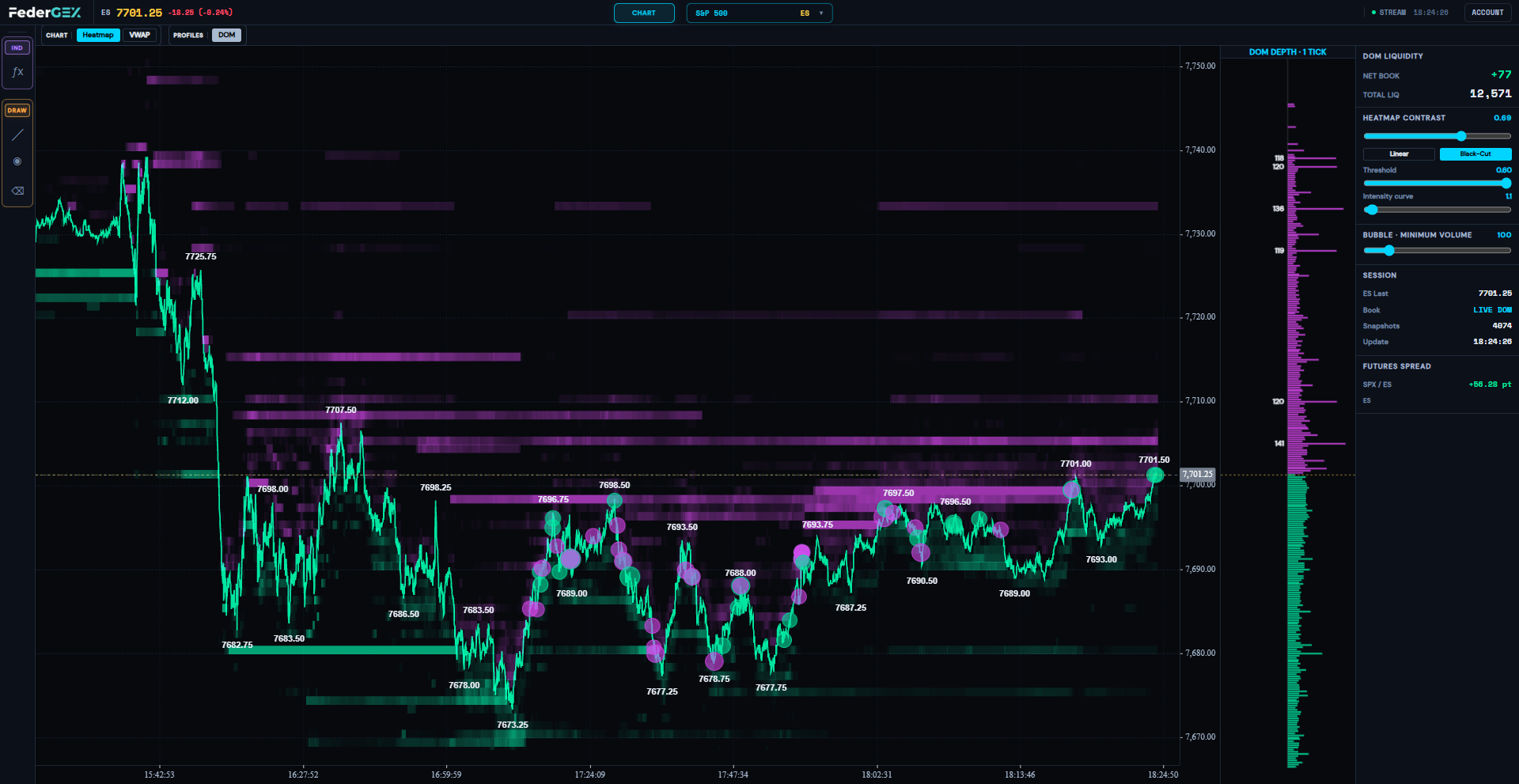
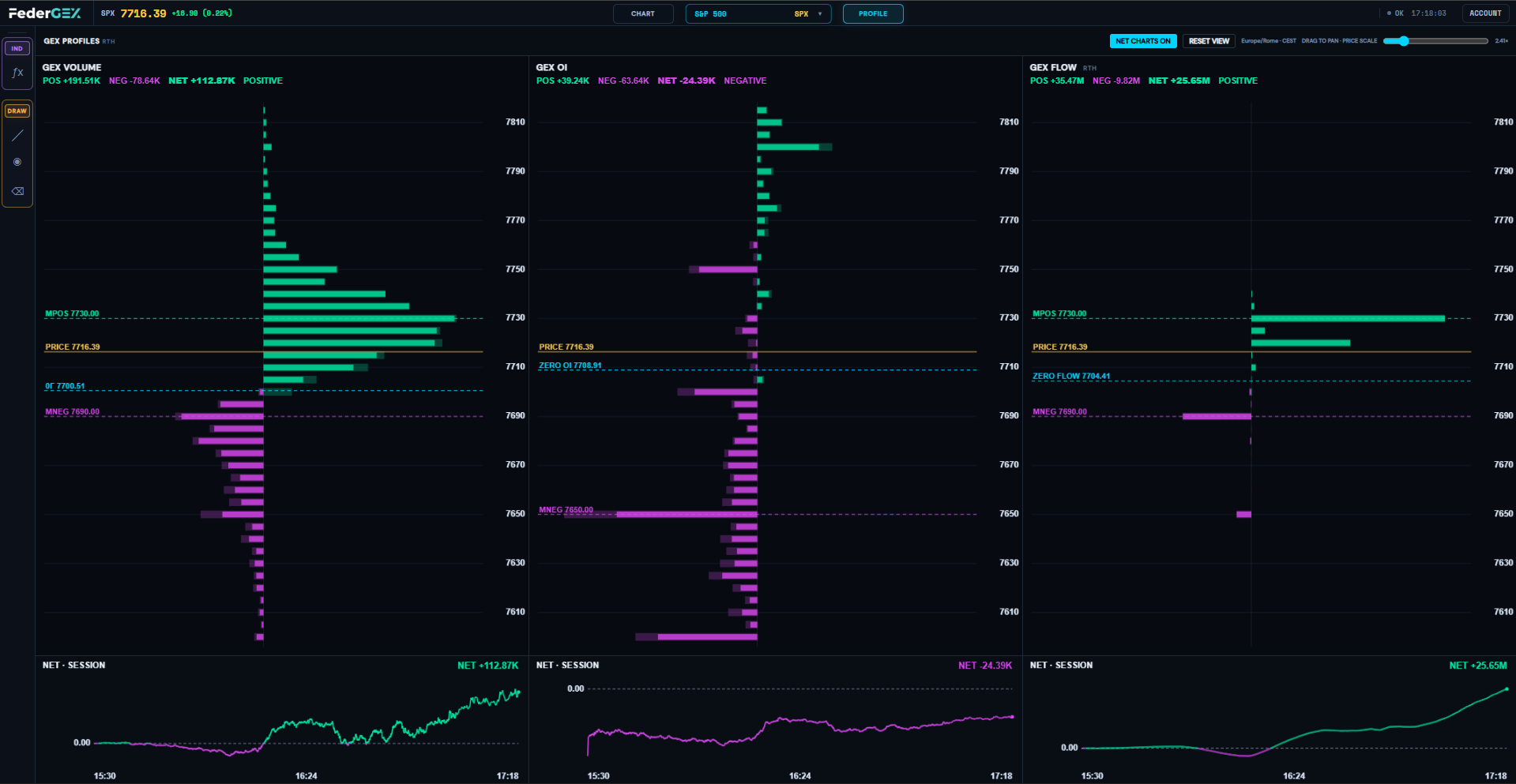
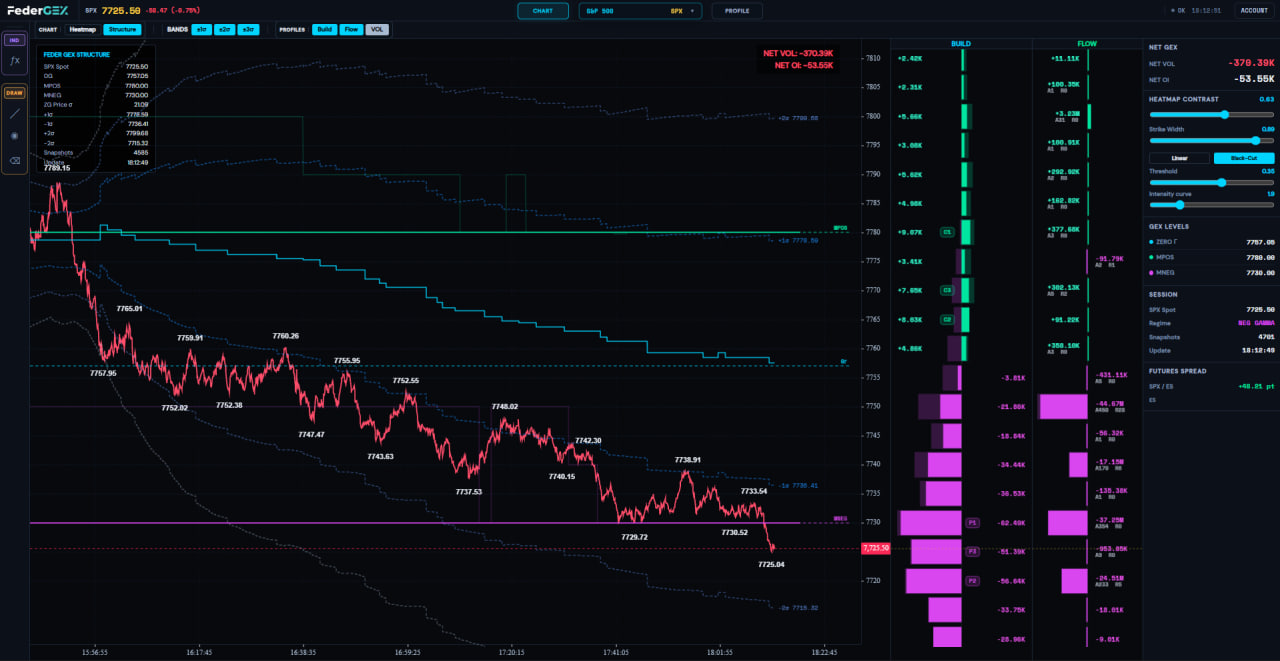
Zero Gamma, GEX Volume, Open Interest, Build and Flow. Read positioning and liquidity in one visual framework.
metrics ↗THE FEDERGEX PERSPECTIVE
track gamma | read flow | map liquidity
From options positioning to futures liquidity.
One connected view of market structure.
dashboard
Zero Gamma, GEX Volume, Open Interest, Build and Flow. Read positioning and liquidity in one visual framework.
metrics ↗integrations
Use the browser dashboard, bring FederGEX to NinjaTrader 8, or connect your own tools through the Elite options API.
coverage
Options on U.S. indexes and ETFs, alongside futures on the S&P 500, Nasdaq, Gold and Crude Oil.
OPTIONS · SPX, SPY, NDX, QQQ, GLD, USO
FUTURES · ES, NQ, GC, CL
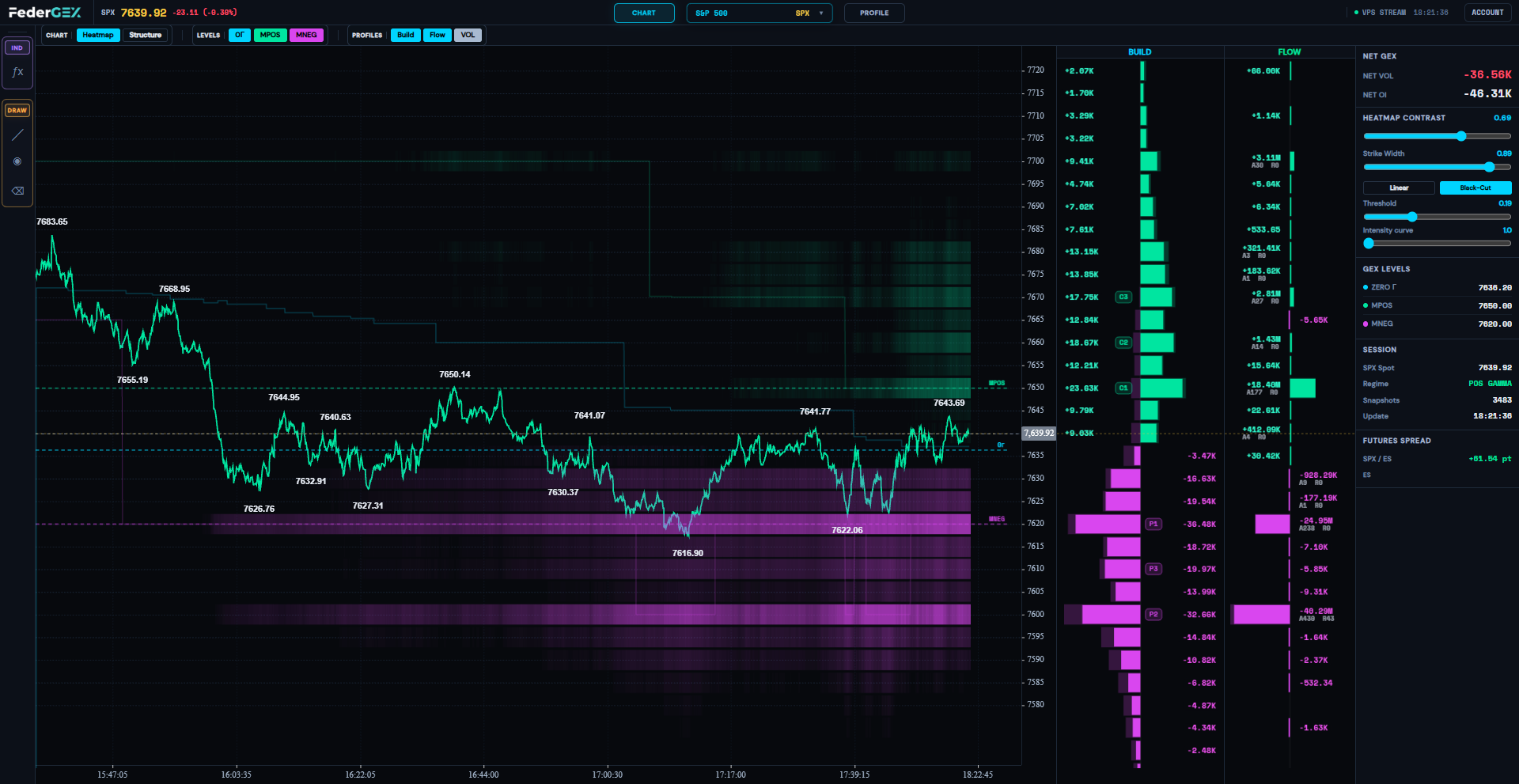
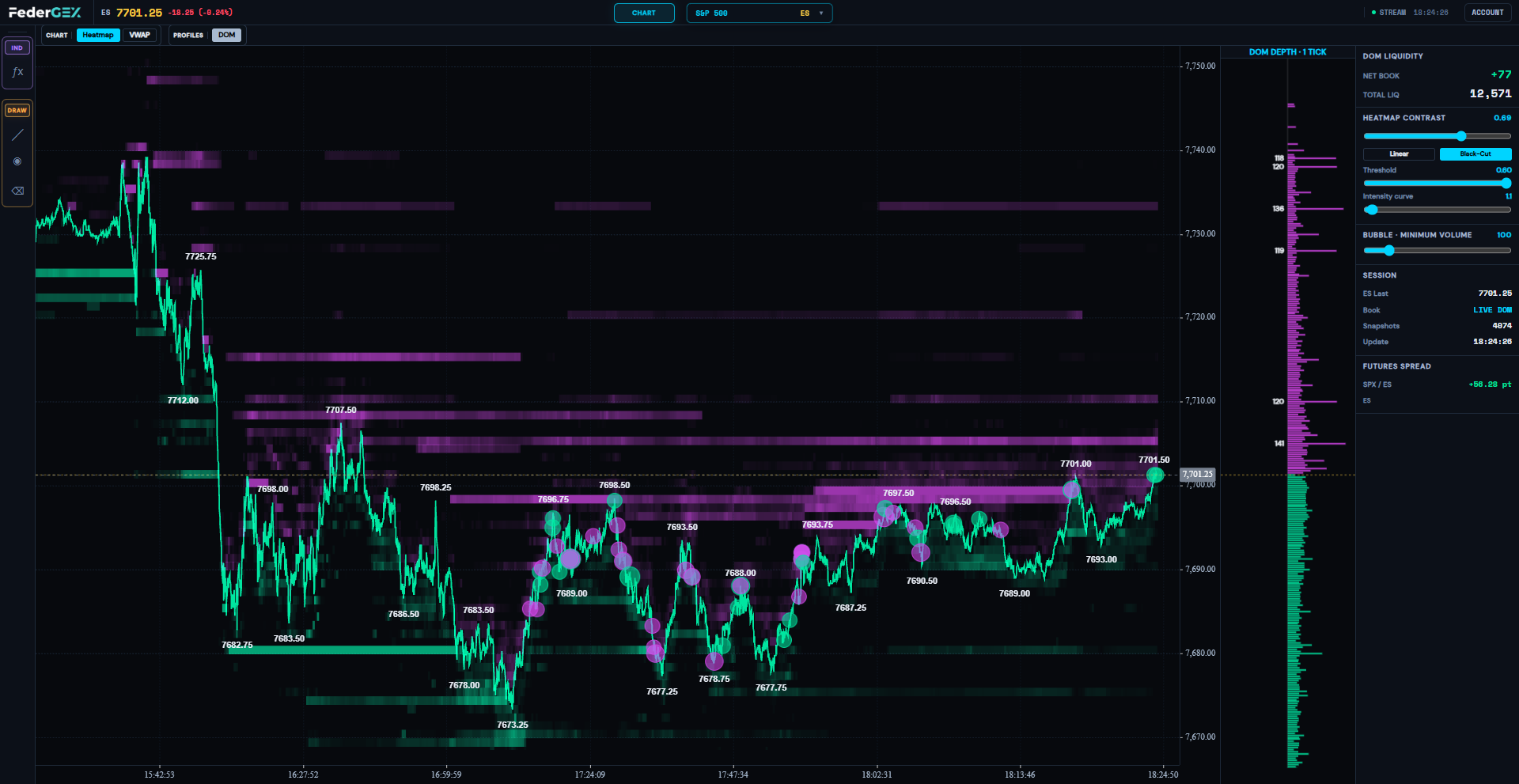
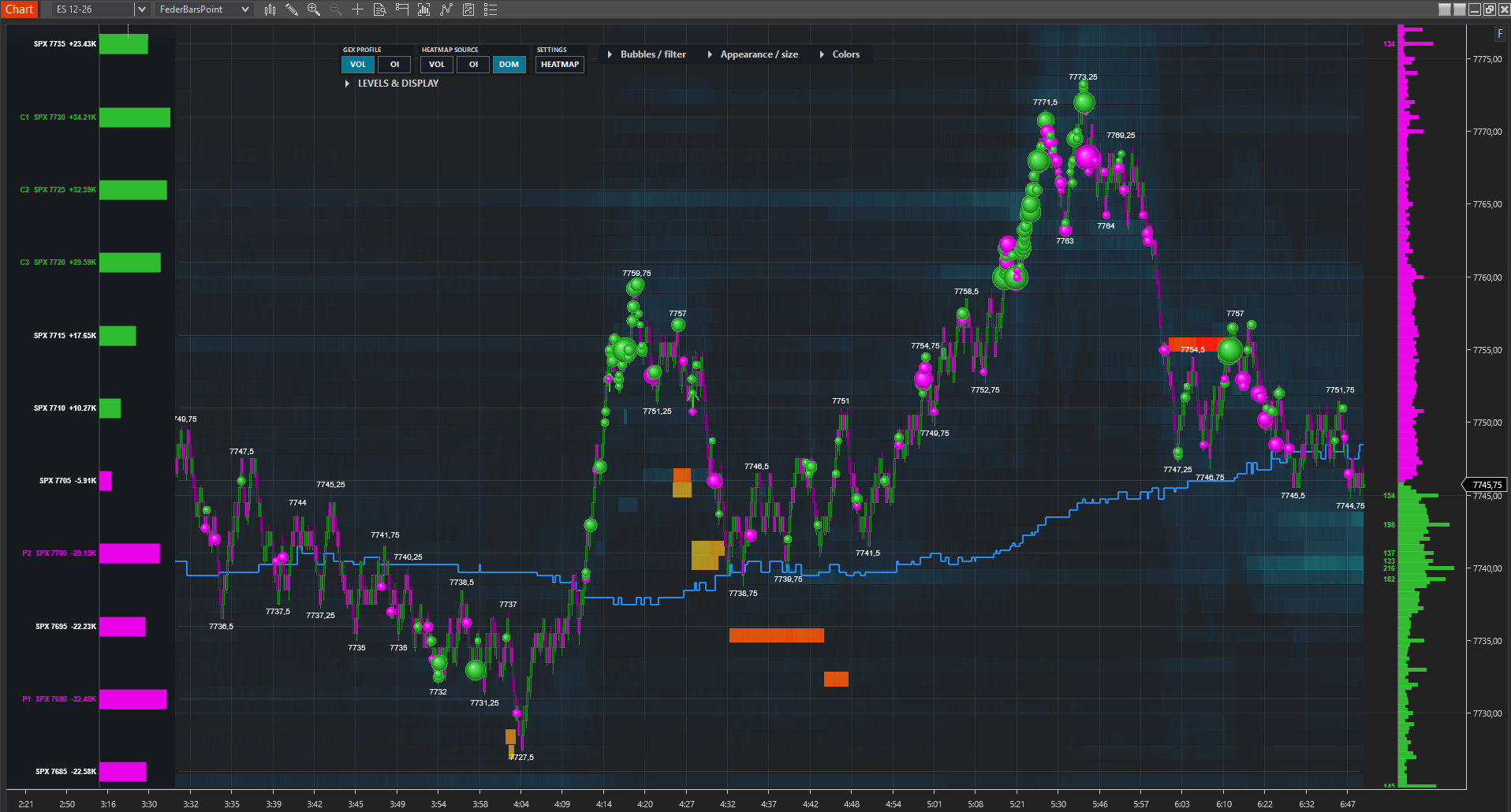
market snapshot
SPX · SPY · NDX · QQQ · GLD · USO

zeroGamma   gammaVol   gammaOi
strikes   flow   build

JSON · personal API keycontinuous development
Structure, positioning and liquidity — connected by the same visual language.
— Browser dashboard for options and futures
— Official NinjaTrader 8 indicators
— Options API for Elite integrations
— Free community updates every 15 minutes
— Product updates and public roadmap
resources ↗Start for free, use options analytics, or access the full ecosystem with Futures DOM and APIs.
Start following FederGEX levels with no subscription.
For reading options structure across S&P 500, Nasdaq, Gold and Crude Oil.
The complete FederGEX ecosystem: options, futures and GEX API access.
Launch price locked in: subscribe during the launch period and keep your launch price on future renewals for as long as your subscription remains active.
All updates to features included in your plan are provided at no additional cost. Any future standalone tools or independent features may be offered under dedicated plans or licenses.
FederGEX is a multi-market analytics platform for S&P 500, Nasdaq, Gold and Crude Oil. It combines options structure on SPX, SPY, NDX, QQQ, GLD and USO with DOM, Heatmap, Bubbles and VWAP on ES, NQ, GC and CL futures.
No. FederGEX provides data, visualizations and market context. It does not tell users which trades to execute and does not constitute investment advice or solicitation.
FederGEX covers four ecosystems: S&P 500 with SPX, SPY and ES; Nasdaq with NDX, QQQ and NQ; Gold with GLD and GC; and Crude Oil with USO and CL.
Options: SPX, SPY, NDX, QQQ, GLD and USO updates are provided only during regular U.S. cash-market hours (RTH), normally 09:30–16:00 New York time on trading days, subject to holidays and early closes. This applies to the options dashboard, options API and FederGEX-fed options indicators. No options updates are provided during ETH, pre-market, after-hours or overnight sessions. Any snapshot visible outside RTH is the last available data, not a live update.
Futures: ES, NQ, GC and CL data is available during their exchange trading sessions, including RTH, ETH and overnight hours, except scheduled maintenance breaks, closures and trading halts. The options RTH-only restriction does not apply to futures. Dashboard collection starts when you open and connect to it, accumulates while connected and does not backfill earlier session activity.
Local hours may vary with daylight saving time. See the Terms of Service for further details.
The Free plan includes access to FederGEX Telegram channels, market analysis and daily commentary, GEX updates every 15 minutes, and the free NinjaTrader 8 indicator with automatic chart levels.
It includes everything in the Free plan plus access to the GEX dashboard for SPX, SPY, NDX, QQQ, GLD and USO with Structure, VOL/OI/Flow Heatmaps, Build Profile, Flow Profile and information panels.
It adds ES, NQ, GC and CL futures with DOM Heatmap, Bubbles, DOM Profile and VWAP, plus GEX APIs for SPX, SPY, NDX, QQQ, GLD and USO and the official NinjaTrader 8 indicator package.
No. The dashboard is accessible through a browser. NinjaTrader is only required to use our indicators and is not required to use FederGEX.
Yes. The website and dashboard are accessible from any device and the interface adapts to the screen size.
Pro and Elite: data is updated in real time during the applicable market sessions. Options updates are available only during RTH (09:30–16:00 New York time on regular trading days). Elite futures updates cover exchange trading sessions, including ETH, subject to maintenance breaks, holidays and closures.
Free Telegram channel: options snapshots are published every 15 minutes during RTH; this is not a real-time feed.
Dashboard collection starts when you connect and does not backfill earlier session activity.
Bubbles represent executions on ES, NQ, GC and CL futures and allow users to compare actual trading activity with the liquidity displayed in the DOM Heatmap.
It displays session VWAP, major and intermediate standard deviations, and Open, High and Low references on ES, NQ, GC and CL futures.
They allow Elite users to use FederGEX GEX data for SPX, SPY, NDX, QQQ, GLD and USO in automations or proprietary software, subject to the terms of use. ES, NQ, GC and CL futures data are not distributed through the APIs.
Yes. The current limits are 30 requests per minute per API key, 60 requests per minute per IP address, and a maximum burst of 3 requests within 5 seconds. Requests using the same personal API key share its allowance. Exceeding it may return HTTP 429. The API provides options analytics for SPX, SPY, NDX, QQQ, GLD and USO; it does not distribute futures data. See the Terms of Service and API documentation.
Yes. You can upgrade from Pro to Elite or manage your subscription from your account area.
Yes. The monthly subscription can be canceled to prevent future renewals. Access remains active until the end of the period already paid for.
Yes. All updates to features already included in your plan are provided at no additional cost. New standalone tools or independent features may instead be offered through dedicated plans or licenses.
Support is available through the official FederGEX channels and the website contact section. Documentation covers installation, access and API usage.
Join the community for free or choose your FederGEX plan.
Subscribe